
My 3D shooter (tutorial)
Chapter 1Infernal Base
In this tutorial you'll make a first-person shooter in the style of the 90s classics, like Doom: the corridors of a base, demons that chase you, a pistol, medkits, ammo, a red key and a door that only opens with it. Without writing a single line of code.
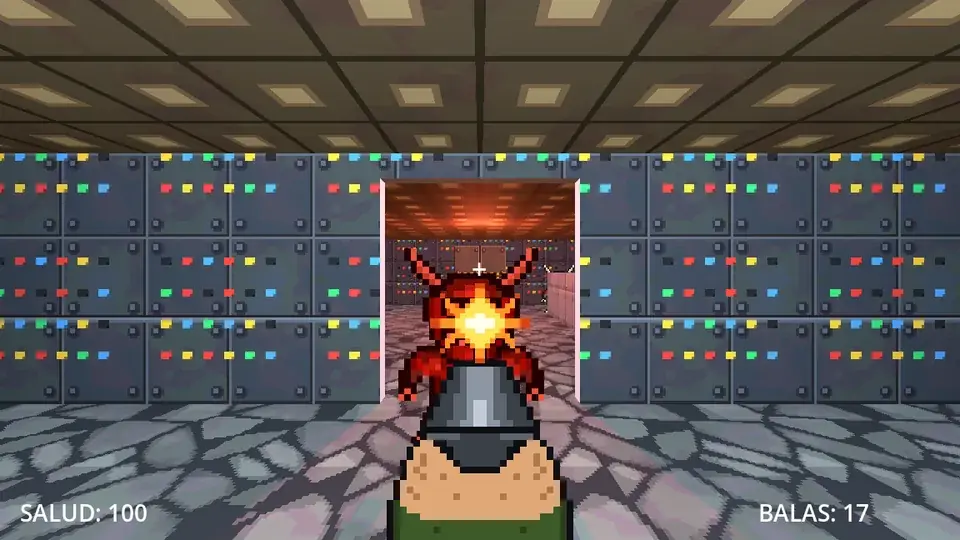
Along the way you'll learn:
- Shapes: building the level inside the editor itself, with floors, walls, stairs and textures, and opening doors in the walls.
- Lights: setting the mood with colored lights.
- 3D game objects: the first-person player, the enemies and the pickups, ready to use.
- BreynFlow in 3D: moving with the mouse and WASD, shooting, chasing, biting, picking things up and opening doors.
Whenever you're ready, press Next.
Chapter 2The project
The editor opens on the 3D tab with the scene main: a sky, a light (the sun), a camera and a plane.
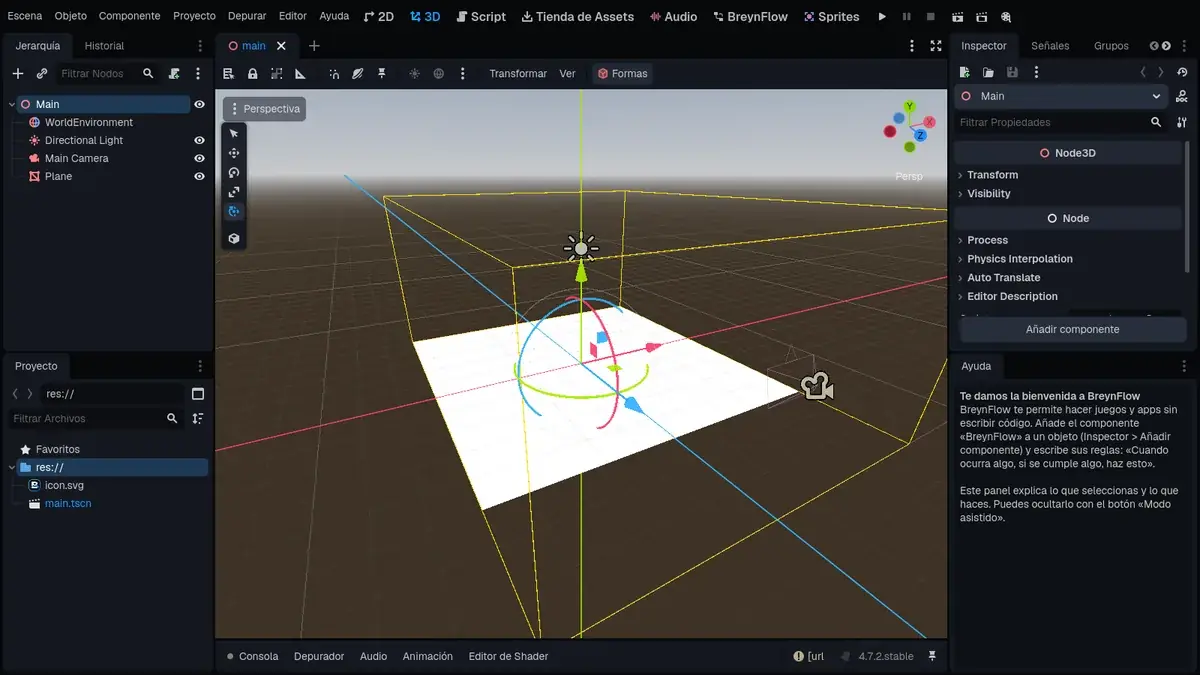
We'll build the level with shapes, and the player brings its own camera, so delete what we don't need: in the Hierarchy, click Main Camera, then Ctrl+click Plane, and press Delete.
The drawings and the sounds
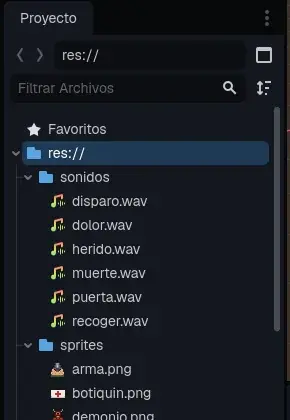
So you don't have to draw everything, this tutorial comes with the game's drawings and sounds: copy the drawings and sounds to the project (download the ZIP).
Two folders appear in the Project panel: sprites (the demon, the gun, the muzzle flash, the medkit, the ammo and the key) and sounds (the shot, the pain, the death, the hurt, the pickup and the door).
Chapter 3The floor
The level has three rooms in a row: the starting room, the demons' room and the final room, with the exit. It's 12 meters wide and 30 long.
At the top of the 3D view there's the Shapes button. Open it:
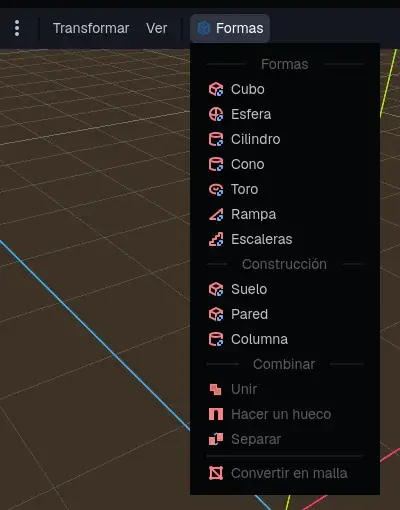
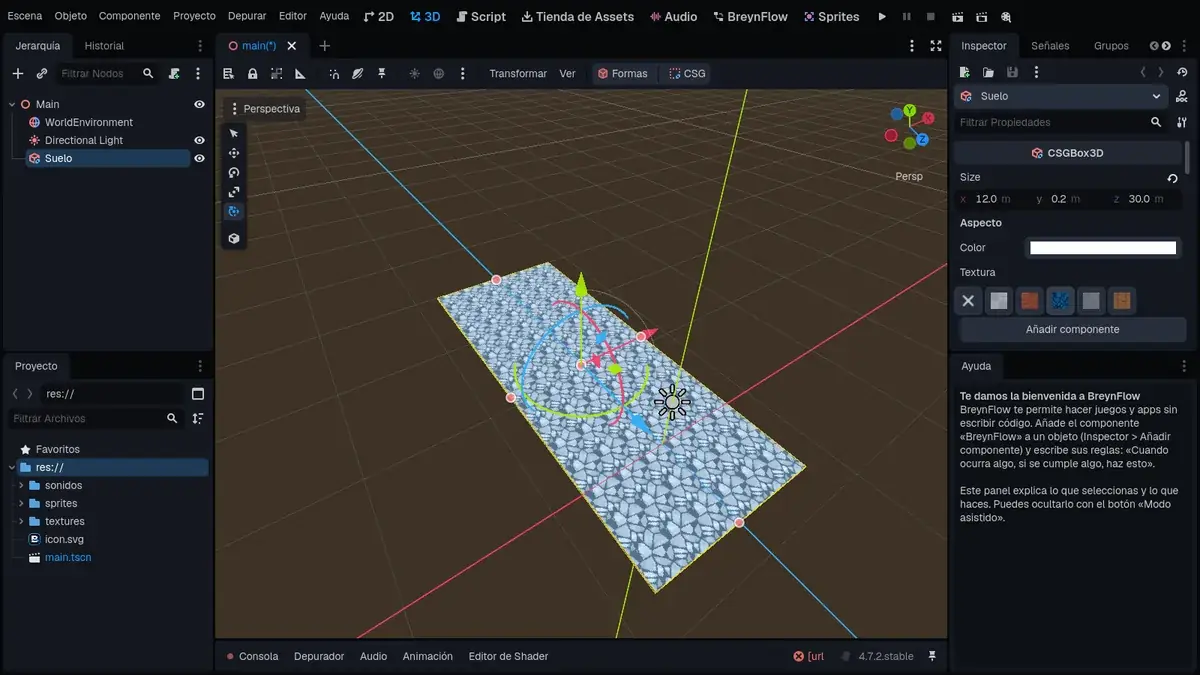
Textures are measured in meters: however much you stretch a shape, they never get distorted, and they continue from one shape to the next. The first time you use one, it's copied to the project's textures folder.
Chapter 4The walls
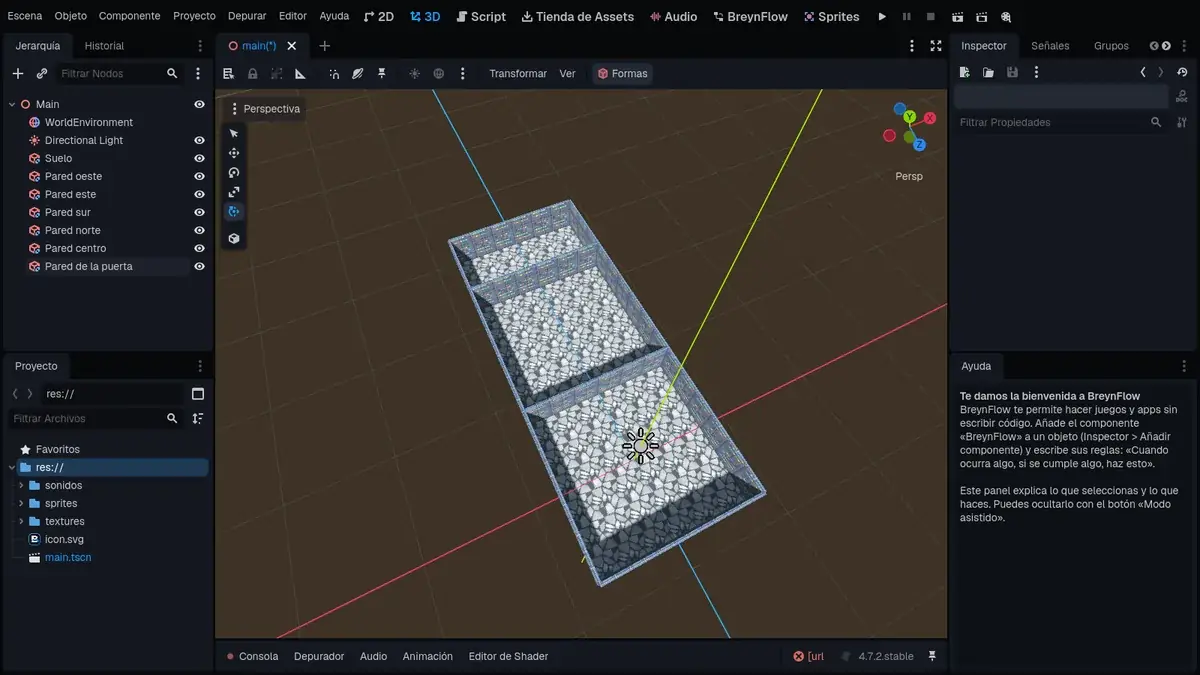
- North Wall: z = -24.
- Middle Wall: z = -6 (between the first and the second room).
- Door Wall: z = -18 (between the second room and the final one).
Chapter 5Doors in the walls
Right now you can't go from one room to another. Let's cut an opening in the two middle walls with the Cut a Hole tool: one shape "bites" another.
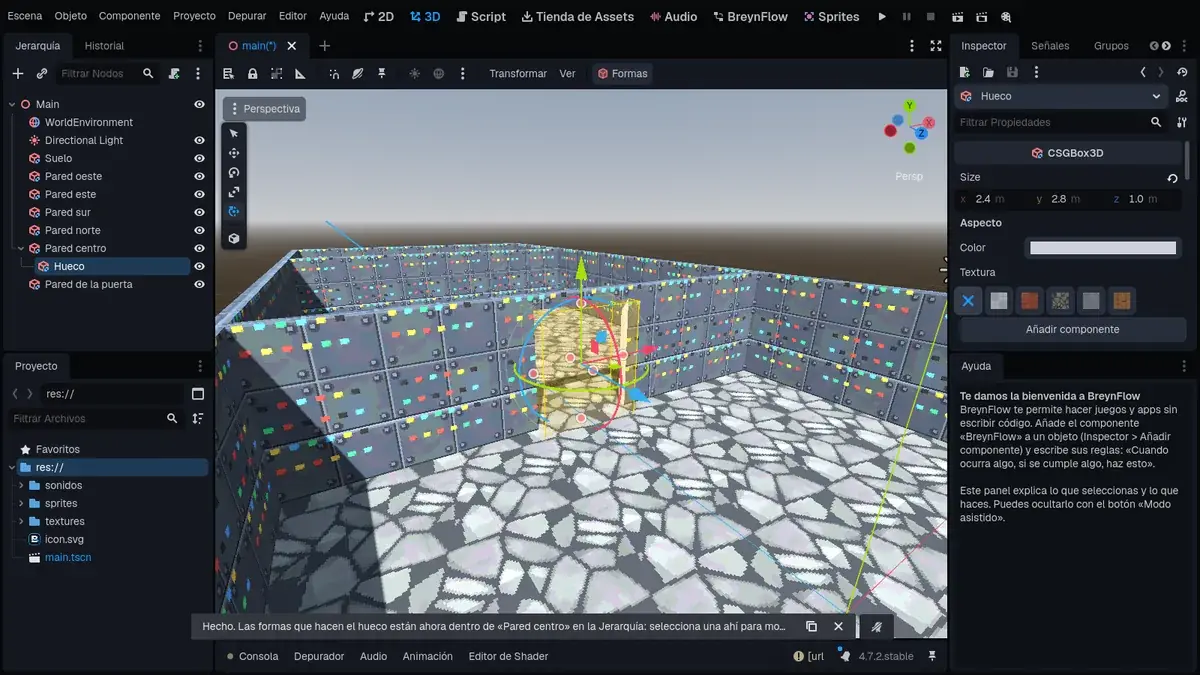
Do the same with the Door Wall: another cube, Door Hole, the same but at z = -18.
Chapter 6Ceiling, stairs and a platform
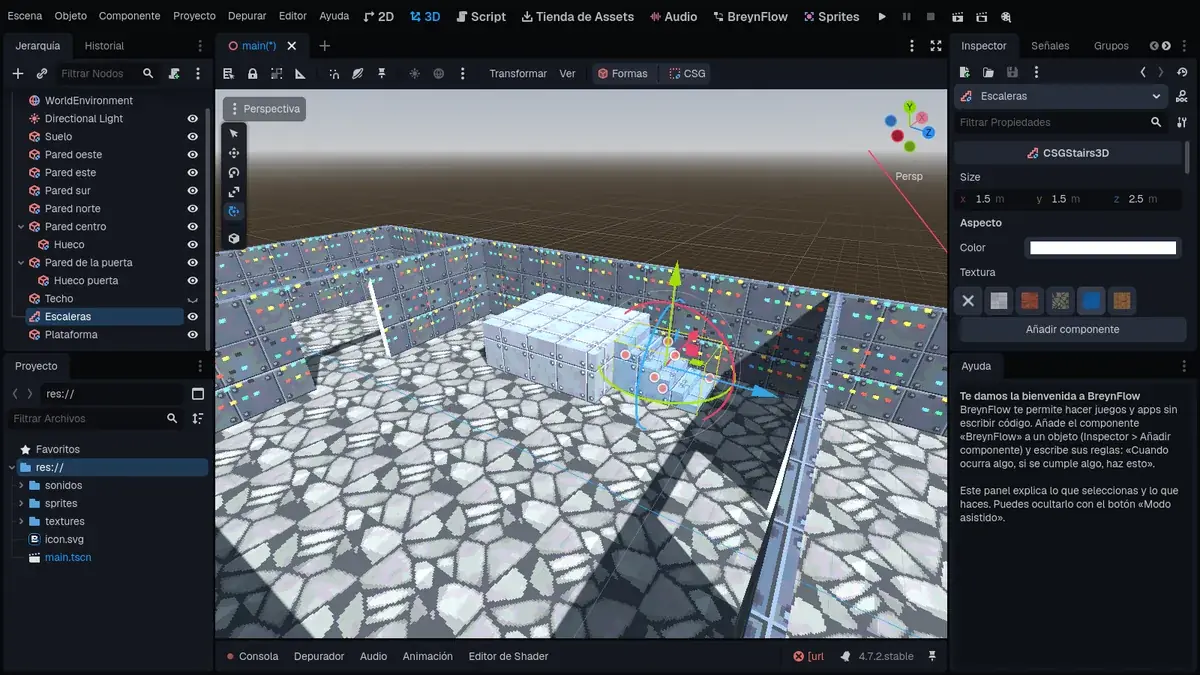
The ceiling: Shapes > Floor, called Ceiling, with Size 12, 0.2, 30, Position 0, 3.1, -9 and the Ceiling texture. Now the inside can't be seen from above: click the Ceiling's eye in the Hierarchy to hide it while you build (and show it again when you finish).
The stairs: in the second room, some stairs go up to a platform where the key will be.
Chapter 7The lights
With the ceiling on, it's dark inside: the sun doesn't get in. Good: we'll set the mood with lights.
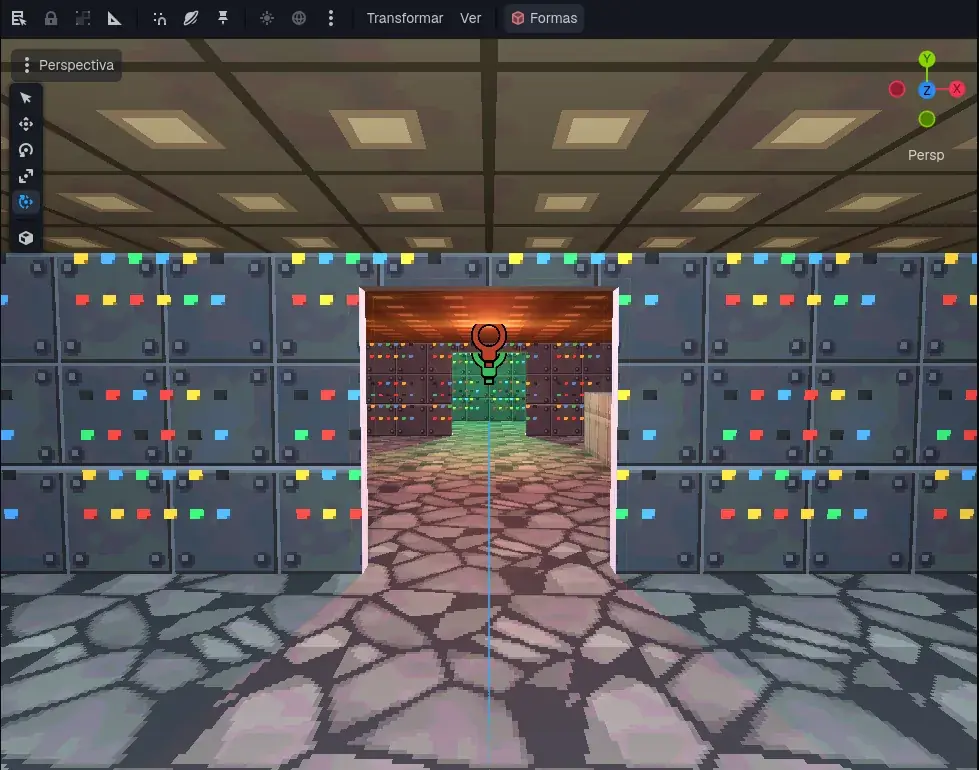
Chapter 8The player
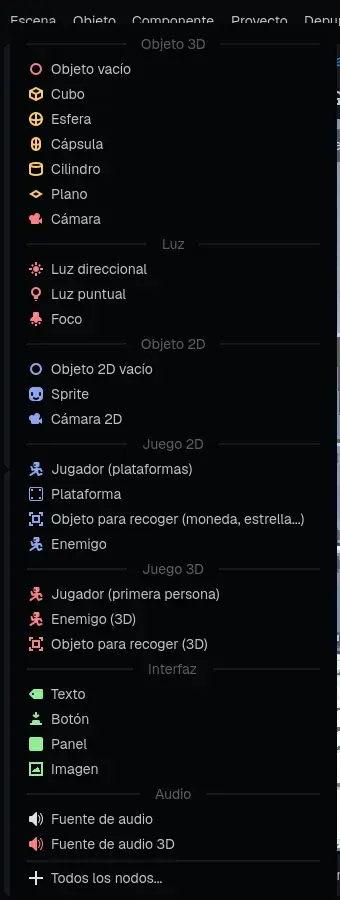
It comes with its body, a capsule-shaped collider and a Camera at eye level: what the player sees. It's already in the group player.
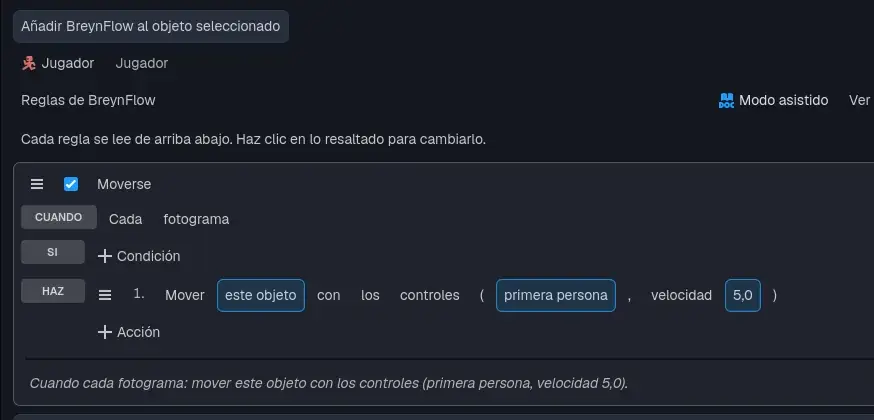
- WHEN: Every Frame.
- DO: Move with the Controls. Click platformer and, in the card, choose the first person style and Speed 5 (in 3D it's in meters per second).
Try it!
Save (Ctrl+S) and press ▶. Click the game: the mouse looks around and WASD (or the arrows) walks. Go through the doorways and up to the platform. Esc frees the mouse; a click catches it again.
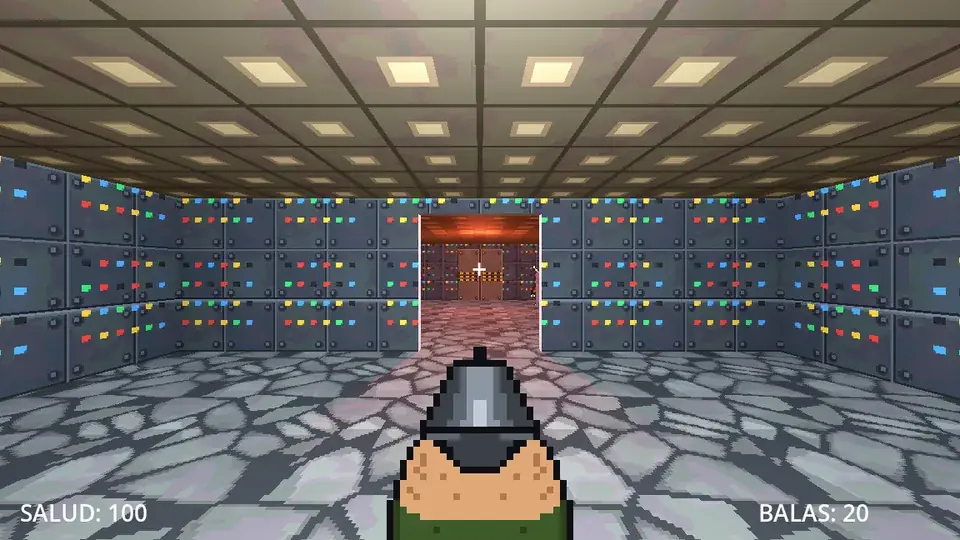
Chapter 9The player's screen
Now, what is shown over the game: the gun, the crosshair, the health and the ammo. First, two settings so it looks right in any window. Open Project > Project Settings:
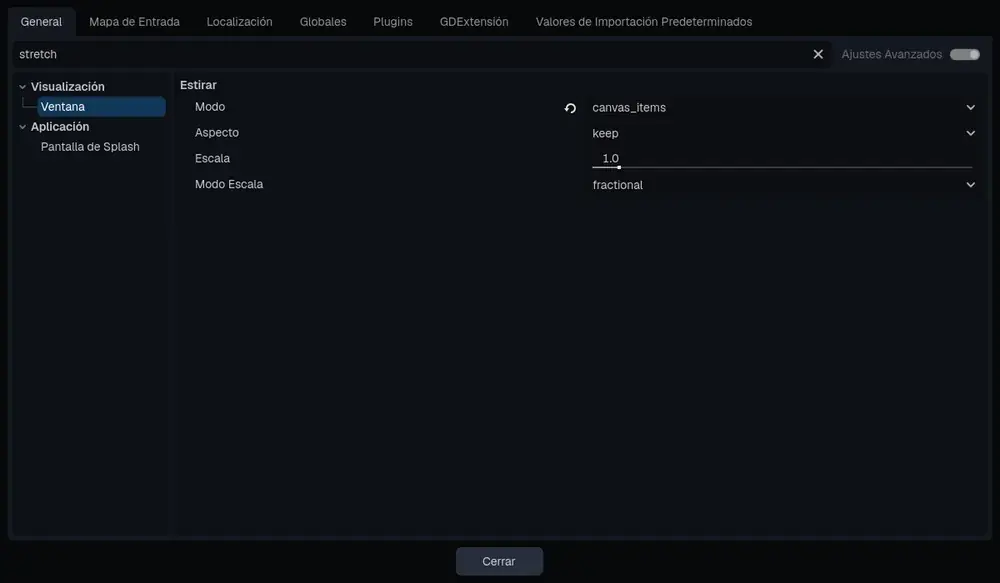
- Type stretch in the search box, click Window and set Stretch > Mode to canvas_items: the player's screen grows with the window.
- Type texture filter, click Textures (in Rendering) and set Default Texture Filter to Nearest: pixels look sharp.
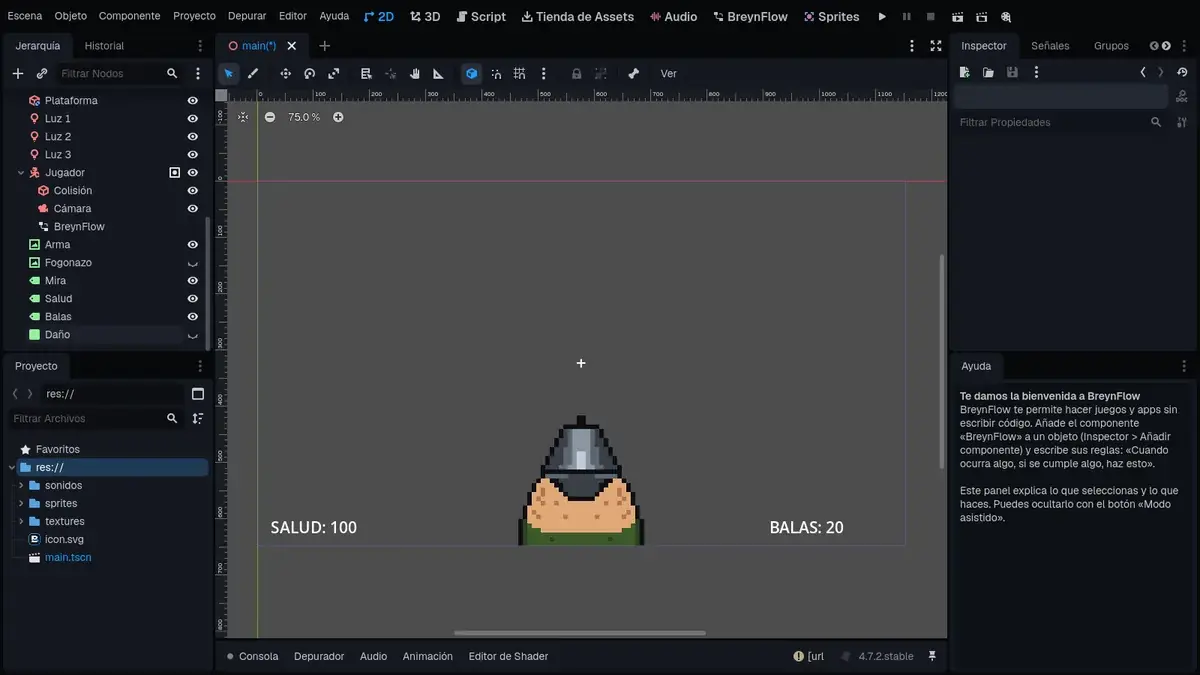
Go back to the 2D tab: that's where the player's screen is laid out. The rectangle is the screen, 1152 × 648.
Chapter 10Shooting
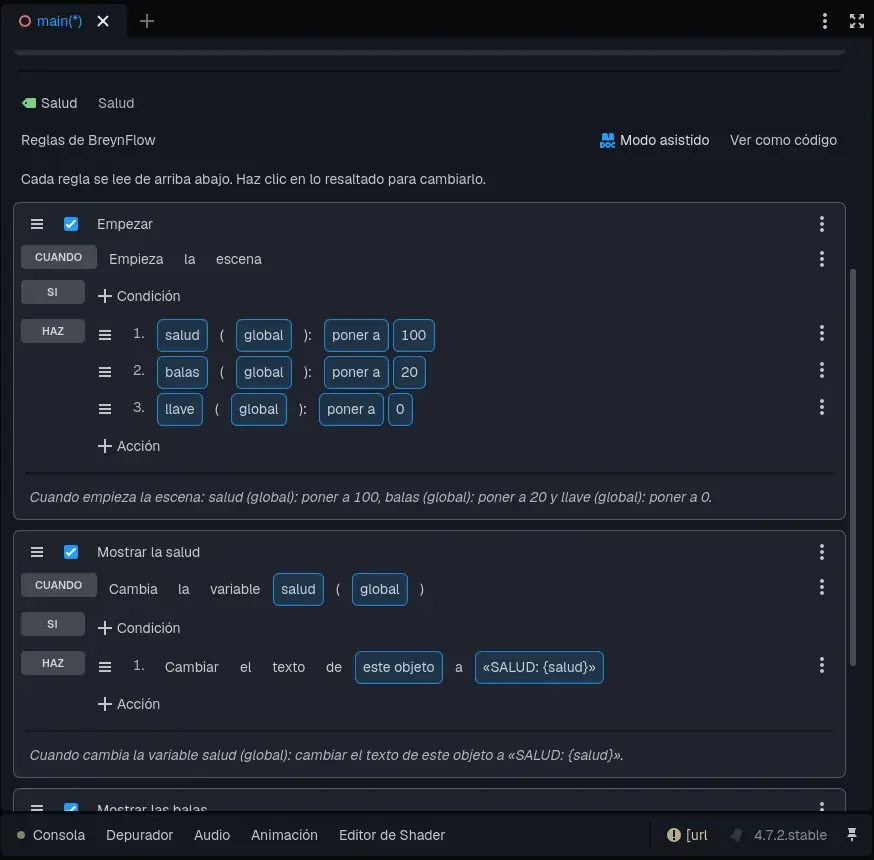
Ammo and health are global variables: the player, the enemies and the pickups use them. Add BreynFlow to the Health text with these rules:
- Start. WHEN: Scene Starts. DO: Change Variable health (global): set to 100; ammo (global): set to 20; key (global): set to 0.
- Show the health. WHEN: Variable Changes: health (global). DO: Change Text of this object to HEALTH: {health}.
- Show the ammo. WHEN: Variable Changes: ammo (global). DO: Change Text of the text Ammo to AMMO: {ammo}.
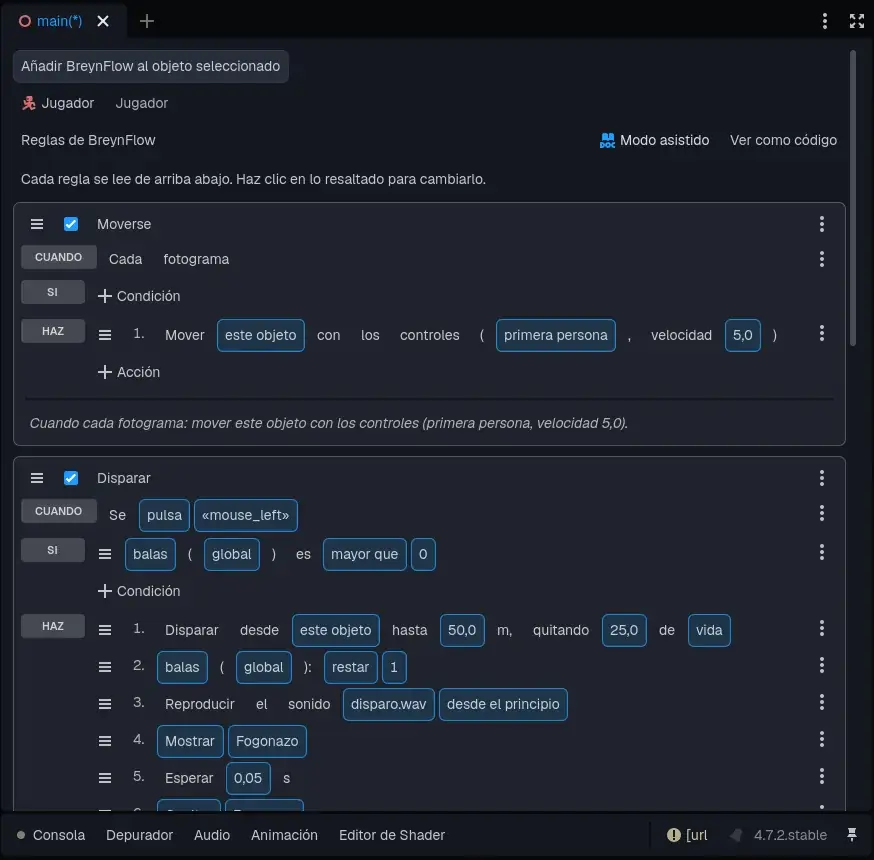
Now, on the Player, a new rule, Shoot:
- WHEN: Key or Button. Click ui_accept and choose mouse_left: the left mouse button.
- IF: Compare Variable ammo (global) greater than 0.
- DO: Shoot. In its card, change health to life: the shot takes 25 from the variable "life" of whatever it hits.
- DO: Change Variable ammo (global): subtract 1.
- DO: Play Sound sounds/shot.wav.
- DO: Show or Hide: show the Flash; Wait 0.05 s; hide the Flash.
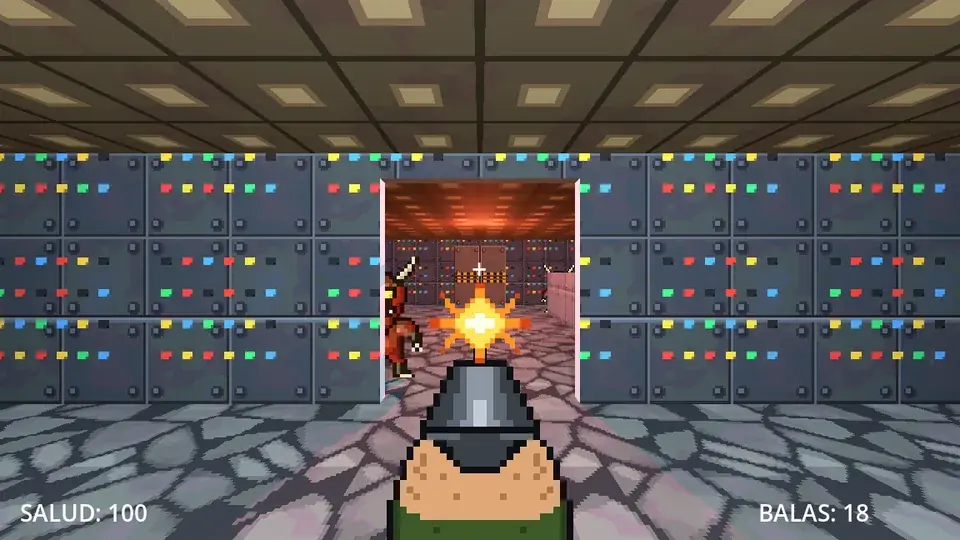
Try it: every click sounds, the flash shows and the ammo counter goes down. With 0 ammo, it doesn't shoot any more.
Chapter 11The demon
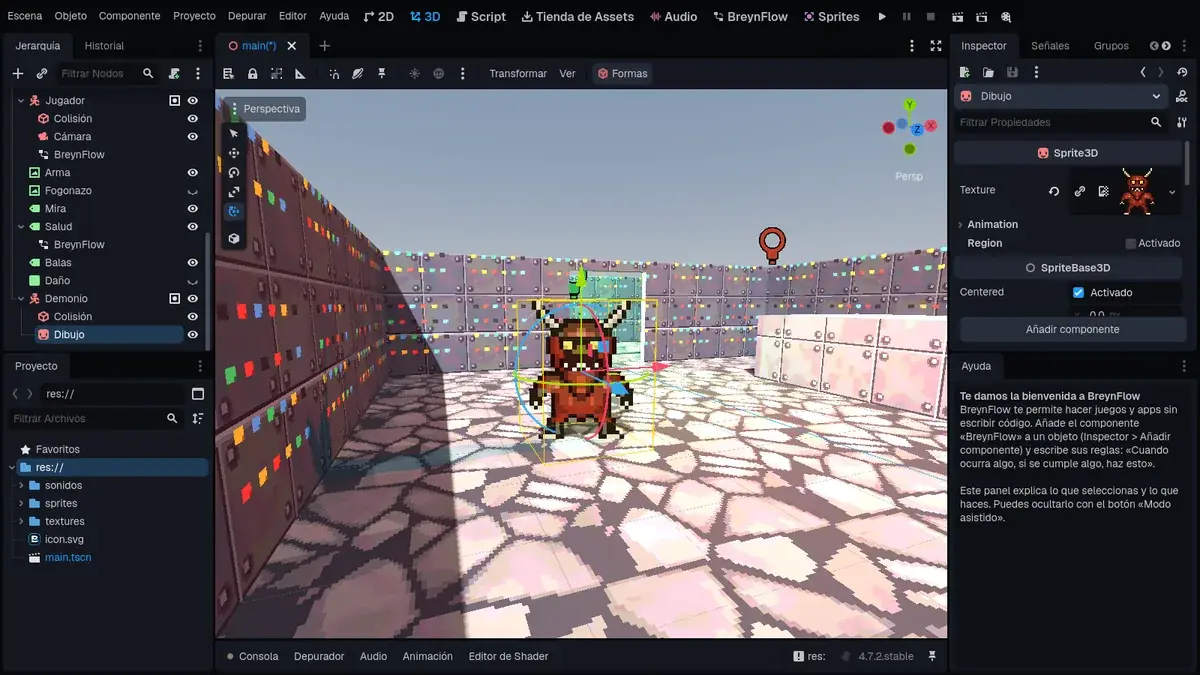
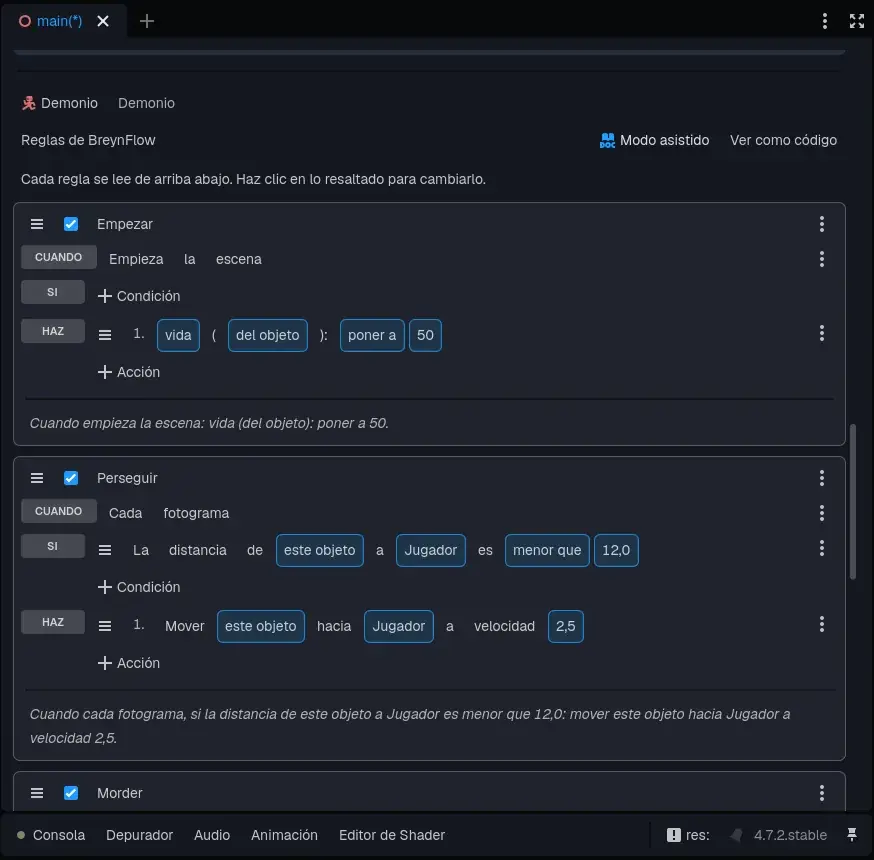
- Start. WHEN: Scene Starts. DO: Change Variable life (of the object: each demon has its own): set to 50. Two shots and it's down.
- Chase. WHEN: Every Frame. IF: Distance from this object to the Player less than 12. DO: Move Towards (Follow) the Player, speed 2.5, stop distance 1.2. In 3D it walks on the floor and doesn't go through walls.
- Bite. WHEN: Time Passes: every 1 s. IF: Distance to the Player less than 1.8. DO: health (global): subtract 10; Play Sound hurt.wav; show the Damage panel, wait 0.15 s and hide it.
Chapter 12Hurt and defeated
When a shot hits the demon, it takes 25 from its "life" and sends it the message hit. Two more rules for the Demon:
- Hurt. WHEN: Message Received: hit. DO: Play Sound pain.wav; Change Property modulate of the Drawing to #ff5050 (red); wait 0.12 s; modulate to white.
- Defeated. WHEN: Variable Changes: life (of the object). IF: life (of the object) less or equal to 0. DO: Play Sound death.wav; Destroy this object.
Now, a horde: select the Demon and press Ctrl+D twice. Put one copy at 3, 0, -15 and another in the final room, at 2.5, 0, -20.5. Copies share the rules, but each one has its own life.
Chapter 13Medkits and ammo
Chapter 14The red key and the door
The key: another pickup, Key, on the platform: 4.25, 1.5, -13, with sprites/key.png. Its rule: WHEN: Collision with player. DO: key (global): set to 1; Show Message "You have the red key!" for 2 s; sound pickup.wav; Destroy.
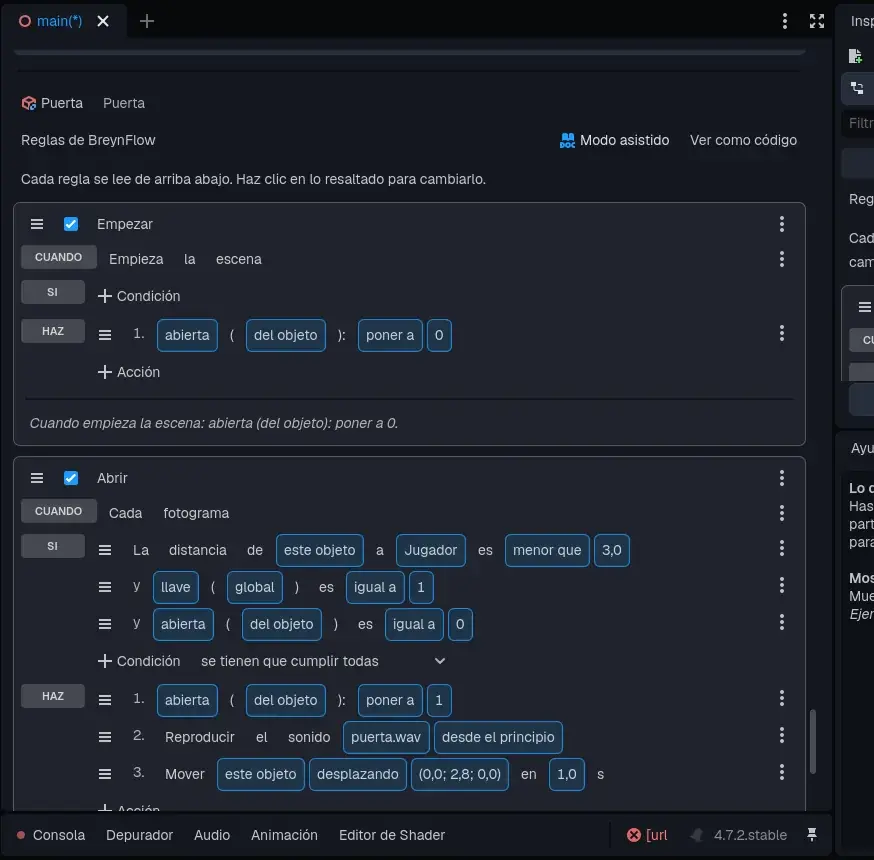
The door: Shapes > Cube, called Door, with Size 2.4, 2.8, 0.3 and Position 0, 1.3, -18: it covers the opening of the Door Wall. In Look, the Metal Door texture (it goes once per face). Add BreynFlow to it:
- Start. WHEN: Scene Starts. DO: open (of the object): set to 0.
- Open. WHEN: Every Frame. IF: Distance from this object to the Player less than 3; key (global) equal to 1; open (of the object) equal to 0. DO: open: set to 1; sound door.wav; Move To: this object, by an offset of (0, 2.8, 0) in 1 s. It goes up and lets you through.
- Locked. WHEN: Time Passes: every 2 s. IF: Distance to the Player less than 3; key (global) equal to 0. DO: Show Message "You need the red key" for 1.5 s.
Chapter 15The exit and defeat
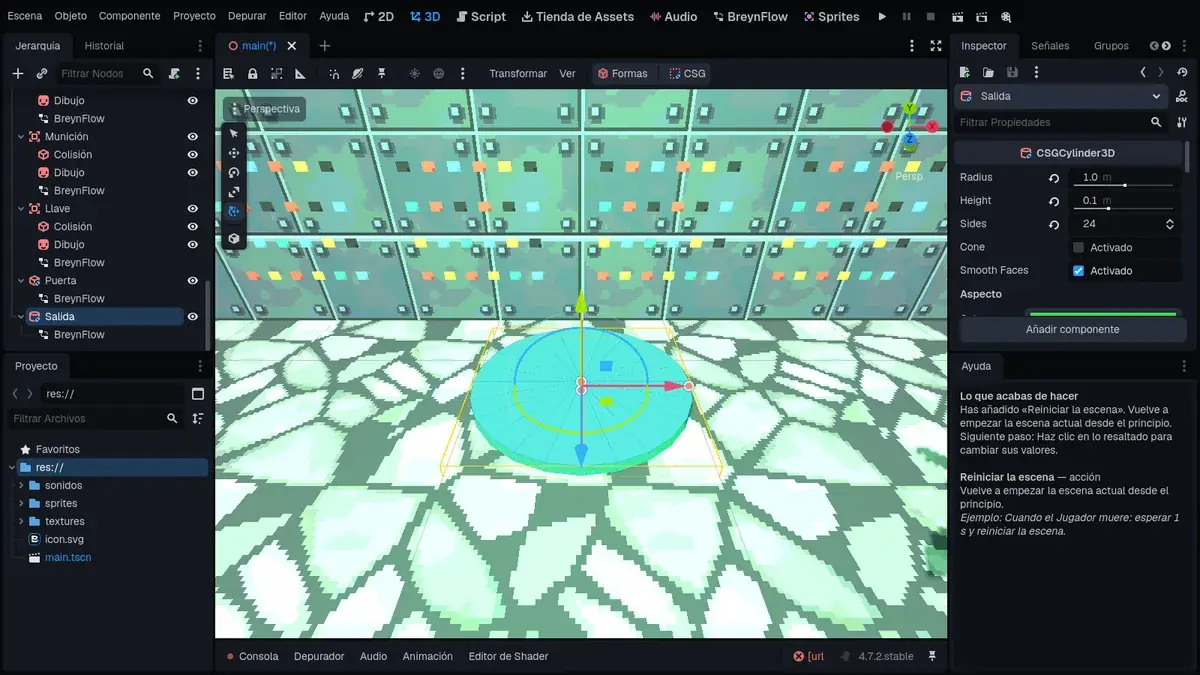
The exit: Shapes > Cylinder, called Exit, in the final room: Radius 1, Height 0.1 and Position 0, 0.05, -22.5, with a green color in Look. Add BreynFlow to it:
- Win. WHEN: Every Frame. IF: Distance from this object to the Player less than 1.2; won (of the object) not equal to 1. DO: won: set to 1; Show Message "LEVEL COMPLETE!" for 3 s; Wait 3 s; Restart Scene.
Defeat: on the Health text, one last rule:
- Die. WHEN: Variable Changes: health (global). IF: health (global) less or equal to 0. DO: Activate or Deactivate: deactivate the Player; Show Message "YOU DIED!" for 2 s; Wait 2 s; Restart Scene.
Chapter 16Play!
Show the Ceiling (its eye in the Hierarchy), save (Ctrl+S) and press ▶.
While you play, look at the BreynFlow tab: each rule blinks when it runs. If something doesn't work, you'll see there which condition isn't met.
Chapter 17What now?
You have your own shooter! Some ideas to keep going:
- More levels: make another scene with other shapes and, when winning, use Change Scene instead of restarting.
- Lava: a floor with the Lava texture and a rule "Every frame, if the distance to the Player is less than 2: health subtract 1".
- More weapons: with "Key or Button" mouse_right, a stronger shot that uses more ammo.
- Music: a "Scene Starts" rule with Play Music.
- Your drawings: open the sprites in the Sprites tab and make them yours, or draw other enemies.
- Convert to Mesh: when the level is finished, Shapes > Convert to Mesh makes it lighter for phones.